I had plans to dig into Nvidia’s Isaac, but I didn’t get very far when I was using the now-deprecated Omniverse Launcher. At that time, I was running Kit in Docker just fine, but I personally noticed some of the Ominiverse apps in the launcher were a bit much for my slightly upgraded consumer gaming laptop with an RTX 4060 sporting only 8GB VRAM. So, I figured Isaac would likely be unusable with a minimum recommendation of 16GB of VRAM.
I’m finding that NVIDIA’s shift toward a leaner, developer-first approach with Omniverse is enabling me to dive right into training my own robots. Even without meeting the recommended minimum requirements.
Here’s how my machine lines up:
| Element | Minimum Requirement | Rob’s Lenovo Legion Slim 5 | Requirements Met? |
| Processor (cores) | AMD Ryzen 5 (4 cores) | AMD Ryzen 7 (8 cores) | ✅ |
| RAM | 32 GB | 32 GB | ✅ |
| Storage | 50GB SSD | 2 TB External SSD | ✅ |
| GPU (VRAM) | GeForce RTX 4080 (16 GB) | GeForce RTX 4060 (8 GB) | ⛔ |
I decided to give it a shot anyway to see how far I could get.
NOTE: This guide was written for Isaac Sim 5.1.0. I’m planning to test out Isaac Sim 6.0 soon, which has different system requirements and may be too much for my machine.
Isaac Lab is built on Isaac Sim, which is built on Omniverse Kit. Since I’ve been running Kit to explore CAD-to-USD pipelines, I figured it should at least start up.
First Test Run – Isaac Sim
I started by testing if Isaac Sim would run by using the pre-built binaries approach.
Then I ran the steps listed in this quick start guide, which led me to unzipping to “C:\isaac-sim” and running: isaac-sim.bat.
That worked!!
I’m even able to run the robot examples they provide.
With that working, I decided to try the pip installation to prep for running Isaac Lab.
Installing Isaac Lab with Conda
I certainly hit some snags when getting started. The most prominent was around making sure my laptop was setup properly to support Isaac and it’s dependencies.
I had an old version of python loaded on my machine and hadn’t hit any snags until trying to work with Isaac Lab. Since the Quick Start Guide called out Python 3.11 explicitly I decided to wipe everything and install Mini Conda for that specific version of python.
Even after getting that dialed in, I found I was missing PIP packages when following the instructions as they were written. The logs, which you’ll see examples of soon, made that issue clear and easy to navigate.
Finally, one of the silliest hurdles was that the app kept crashing when I’d run my first training without using the –headless argument. It took me a while to figure out that training would run just fine in headless mode. Here’s the command I kept trying, at first:
python scripts/reinforcement_learning/skrl/train.py --task=Isaac-Ant-v0 --num_envs=20The point here is that you are likely to run into hurdles. It’s worth putting in the effort to navigate around them. They may be different for you depending on how your machine is setup.
Had I given up, I wouldn’t be able to expand my understanding of industrial robotics, which I’m determined to do.
When you’re passionate about achieving a goal, DO NOT GIVE UP!
Useful House Cleaning
Here are some valuable commands to keep handy if you run into any snags and need to start over. I personally love Python environments, since they make doing that super easy.
conda clean --all --yesList your environments:
conda env listDelete any you don’t want or when you need to completely rebuild:
conda remove -n ENV_NAME --allReclaim Hard Drive Space
This is a HEAVY application, so this is a super handy command to regain lost hard drive space.
pip cache purge Check the size of “C:\Users\YOU\.conda\pkgs” and “C:\Users\YOU\miniconda3\envs” to confirm they’re reasonable.
My Path Toward a Successful Training
Eventually, I came to realize that I wanted to test the pip installation of Isaac Sim without Lab to see if it would run like the binary version did.
I also decided to go directly to the the Isaac Sim/Isaac Lab repo and follow what the README suggested.
That led me to this version of the PIP Installation process, which includes validating that Isaac Sim is working before moving forward with installing Lab, matching exactly what I was planning.
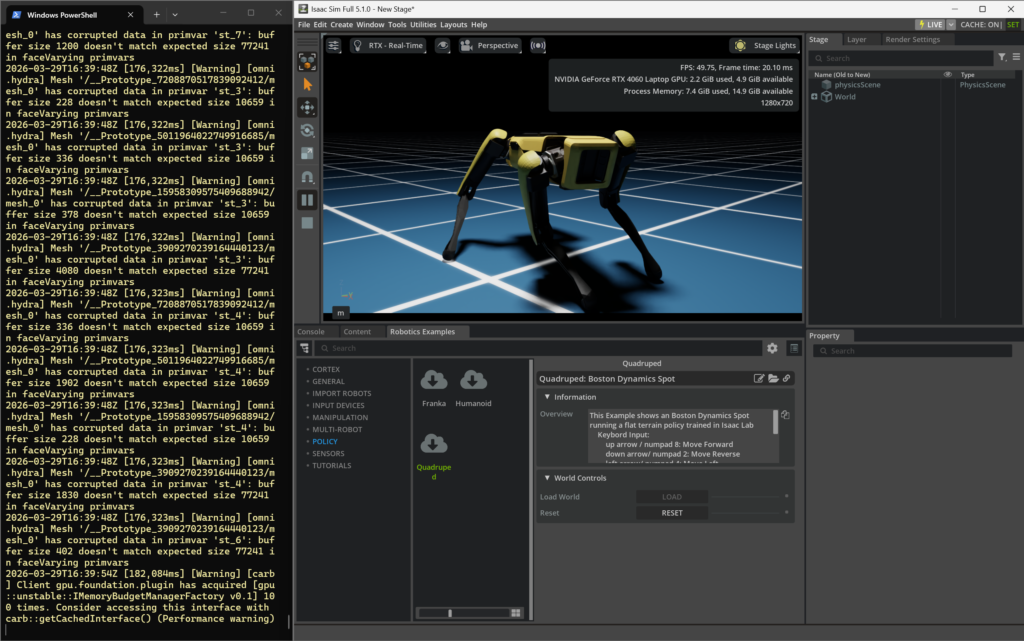
That allowed me to run Isaac Sim through PIP. I didn’t see any error logs and was able to run the example Quadruped policy allowing me to control a virtual Boston Dynamics Spot!
What they don’t mention in that documentation is that after cloning the lab repo, you need to navigate into the IsaaLab directory before running the following install command:
isaaclab.bat --install :: or "isaaclab.bat -i"There were some minor errors, but testing the installation proves Isaac Lab seems to be working!
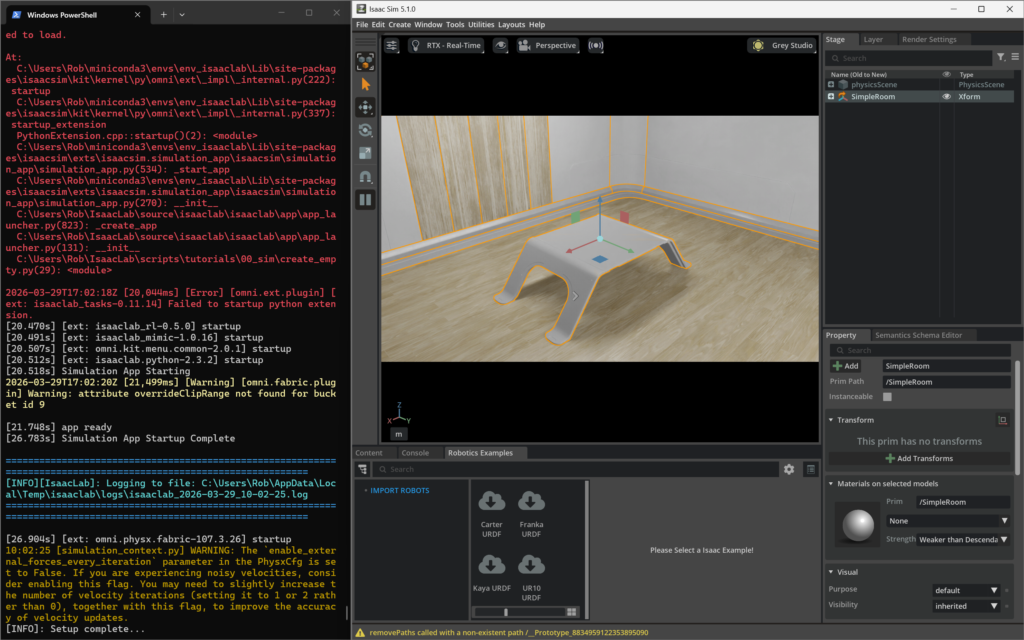
The UI was a bit different, but I was able to create a simple room.
I closed that and tried starting a small training environment with:
python scripts/reinforcement_learning/skrl/train.py --task=Isaac-Ant-v0 --num_envs=20I got ModuleNotFoundError: No module named ‘skrl’, so I installed that with:
pip install skrlRunning the training now hits this error:
ImportError: DLL load failed while importing _errors: The specified procedure could not be found.
So, lets’ try a different training approach by using the dog training command:
isaaclab.bat -p scripts/reinforcement_learning/rsl_rl/train.py --task=Isaac-Velocity-Rough-Anymal-C-v0 --num_envs=20With that we get this error:
importlib.metadata.PackageNotFoundError: No package metadata was found for rsl-rl-lib
So, I ran:
pip install rsl-rl-libThis is when I’d realized that I can run a headless training, but I kept seeing this DLL error when trying to view the training in action:
ImportError: DLL load failed while importing _errors: The specified procedure could not be found.
This is great progress, but I want to see the simulations running!
The h5py Conflict
The app is crashing when importing h5py, and that’s almost always a binary mismatch.
Possible causes for this are:
h5pywas built against a different version ofHDF5or Python- or it conflicts with NVIDIA’s packaged deps from NVIDIA Isaac Sim
My hope was to fix this remaining issue keeping me from viewing the training with:
pip uninstall h5py -y
pip install --no-cache-dir h5py==3.10.0
And that worked!
Success!
I’m now able to run trainings without the headless argument to view them as they happen.
I kept the number of environments low to be safe.
python scripts/reinforcement_learning/skrl/train.py --task=Isaac-Ant-v0 --num_envs=20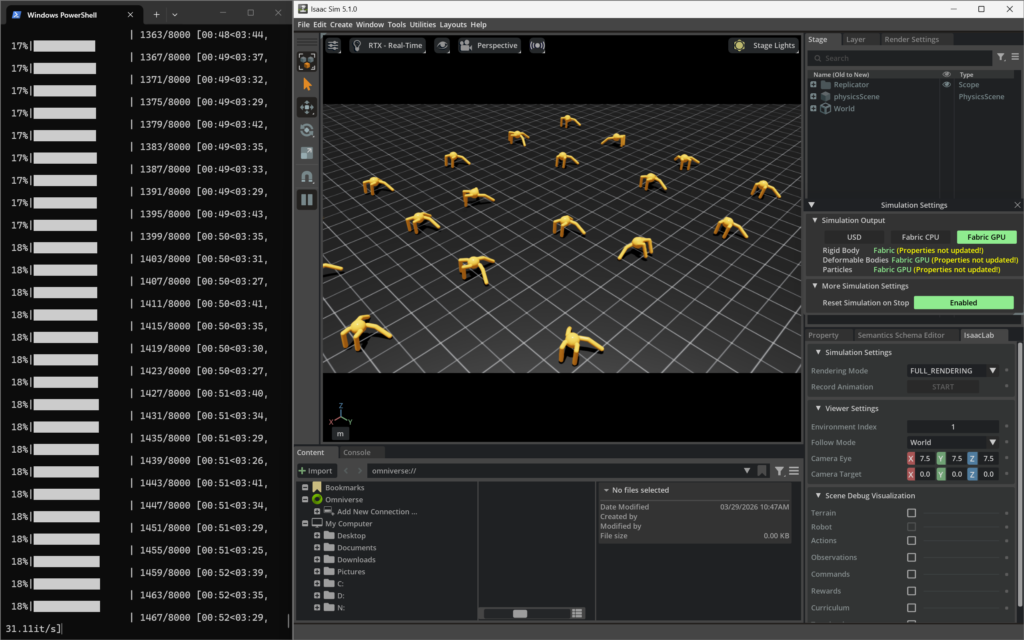
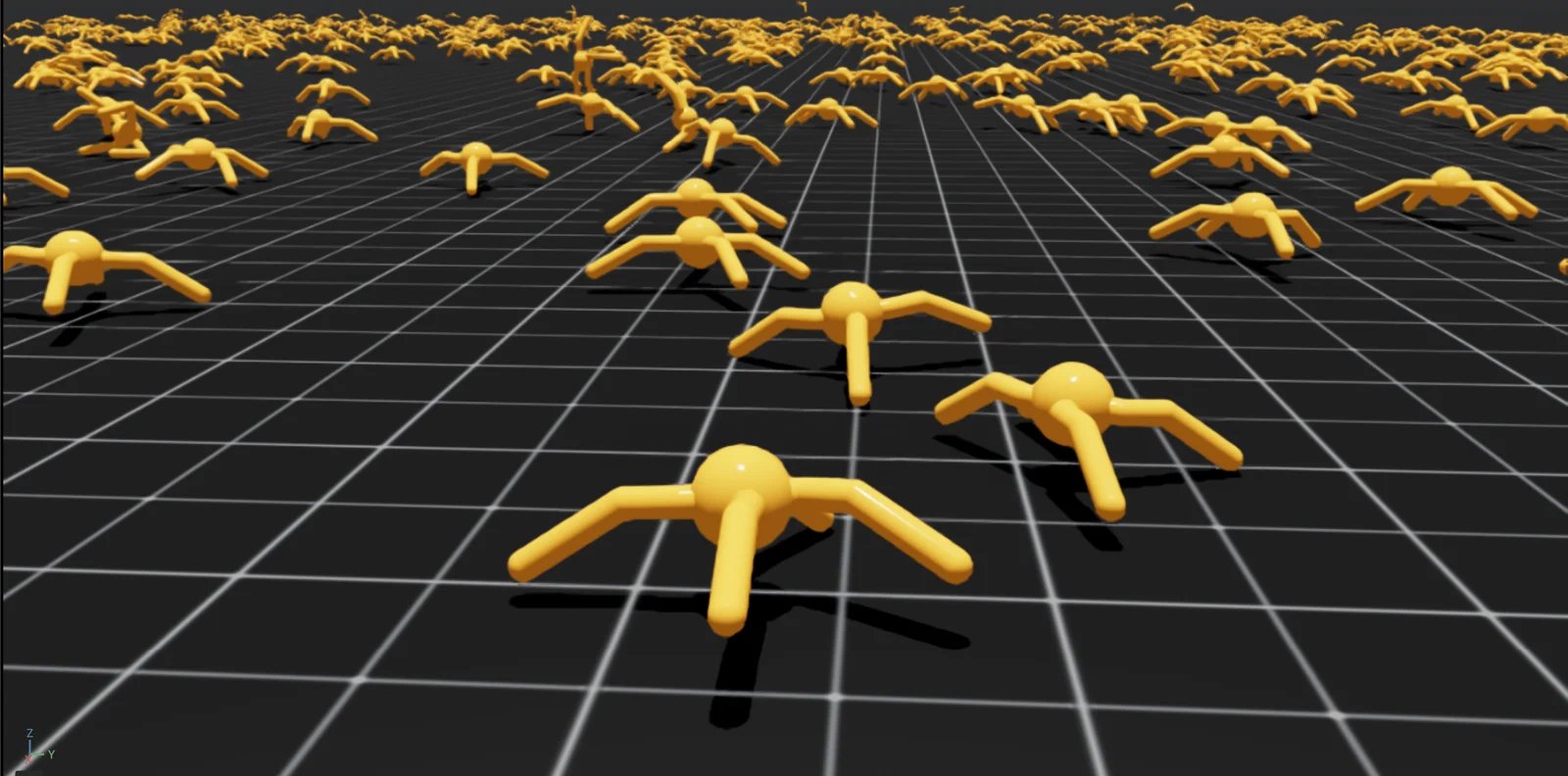
Watch as 100 ants learn to walk in this video played at 500x normal speed:
I’m even able to run the training using the dogs!
isaaclab.bat -p scripts/reinforcement_learning/rsl_rl/train.py --task=Isaac-Velocity-Rough-Anymal-C-v0 --num_envs=20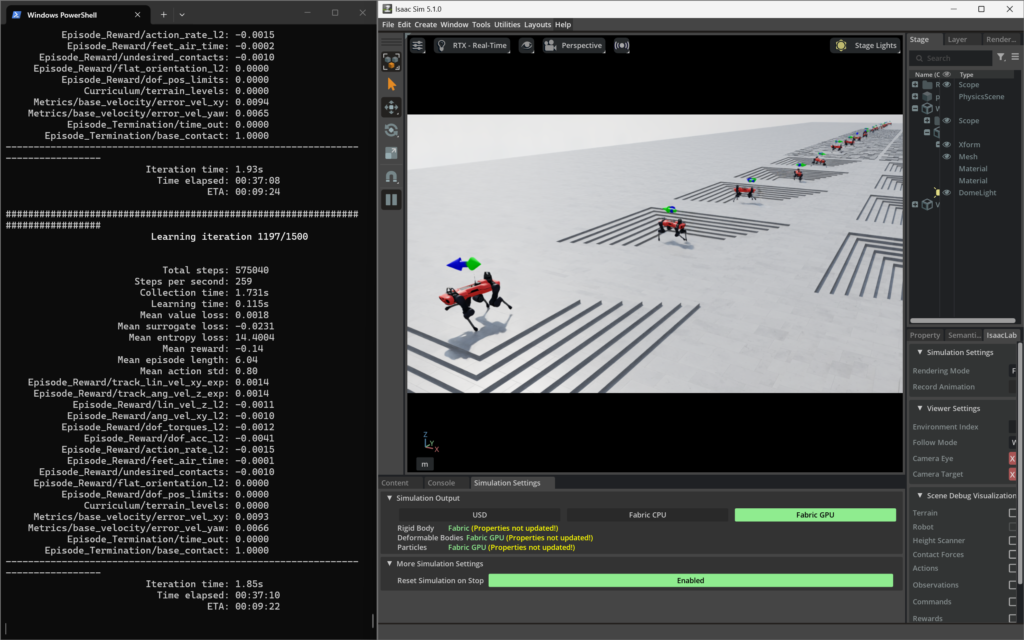
At that point, I began running higher increments of training environments and noticed that 10,000 ants ran, but made navigating in the view port challenging.
Running with 1,000 ants ran just fine allowing me to get a decent screenshot for this article’s header.
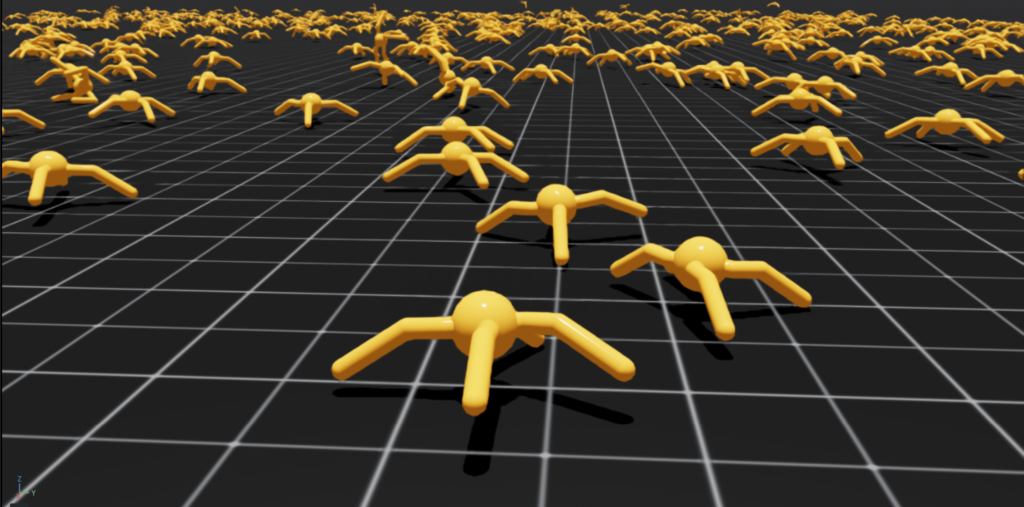
Once I’m ready to go beyond that, it makes sense to run in headless mode.
Managing Isaac Sim Crashes
While working in Isaac Sim, I found it worked fine for a few days then suddenly started crashing with errors similar to this:
2026-04-03T17:07:34Z [163,477ms] [Error] [carb.graphics-vulkan.plugin] GPU crash is detected.I learned that my graphics card driver was too new (591.86), when Isaac Sim recommended 580.88 at the time of my installation.
You can search the Isaac Lab/Sim repo for “Driver Requirements” to find what’s recommended for your system and download them from the NVIDIA Drivers page.
Rolling back is quite easy. Just follow these steps:
- Double-click the driver
.exeyou just downloaded to launch the setup. - Follow the prompt until you reach the Options screen. Instead of selecting “Express (Recommended)”, choose Custom (Advanced) and click Next.
- On the next screen, you’ll see a list of components to install. At the bottom, check the box that says “Perform a clean installation”.
- Proceed with the installation. Your screens will likely flicker and go black a few times—this is normal as it wipes out the current 591 driver and drops in the 580.
- Restart your computer when it’s finished.
Once that’s done you can run the nvidia-smi command in a terminal or open the NVIDIA App to confirm the proper driver is active.
You’ll also want to be sure your settings are set up to avoid auto drive updates.
For the record, this did reduce crashes but they do still happen on occasion. Especially if I run out of VRAM!
Next Steps
I’m going to follow these recommendations provided in the installation guide that worked:
Isaac Lab provides the tools you’ll need to create your own Tasks and Workflows for whatever your project needs may be. Take a look at our How-to Guides guides like Adding your own learning Library or Wrapping Environments for details.
I’m also going to follow what was in the Isaac Sim/Isaac Lab repo:
Our documentation page provides everything you need to get started, including detailed tutorials and step-by-step guides. Follow these links to learn more about:
I’m reading that following the Tutorials is the best place to dig in, which then recommends starting with Isaac Sim Workflows where they say to go through the Quick Start Tutorials to gain a basic understanding of the three main workflows and how they are interconnected:
- GUI
- Extensions
- Standalone Python
So it seems the Isaac Sim Basic Usage Tutorial is the best starting point, according to NVIDIA.
Key Takeaways
There’s a lot of information out there about installing Isaac Labs. It seems best to follow what’s in the Isaac Sim/Isaac Lab repo since they’ll point you to the latest instructions.
You must get your environment right. I personally like Conda, since I’ve found it to be a critical tool for machine learning. This might mean you need to clean house and wipe any existing Python versions. Since Python 3.11 is optimal for machine learning and is used by the latest versions of Isaac, I recommend installing Miniconda3-py311_25.11.1-1-Windows-x86_64.exe if that aligns with your machine like it does mine.
Running Isaac Lab with minimal resources means you’ll want to manage the volume of training environments running at once by using the num_envs argument and incrementally increase your training instances until your machine starts struggling. That’s why I started with --num_envs=20. You should also stick with simple scenes and work your way up in complexity when working in Isaac Sim.
Even without meeting the minimum system requirements, I’m officially setup to start digging into Isaac Labs and to learn as much as I can about industrial grade robotics. I’ll have to manage my hardware limitations as I progress, but that feels manageable.
I hope this was helpful if you’re looking to get started in Isaac Lab and aren’t sure if your computer is powerful enough.