I’m a huge fan of robotics! I’m an even bigger fan of accessible technical education that enables anyone to get started with little more than the will to learn.
When it comes to robotics, some type of investment in hardware will eventually be required. I’ve spent plenty on hardware that mostly sits around, so I tend to encourage my audience to learn robotics through simulation until you’re ready to move into the physical world.
You can get started learning physical AI virtually but you’ll need hardware to gain experience closing the sim-to-real gap, which is critical for modern robotics.
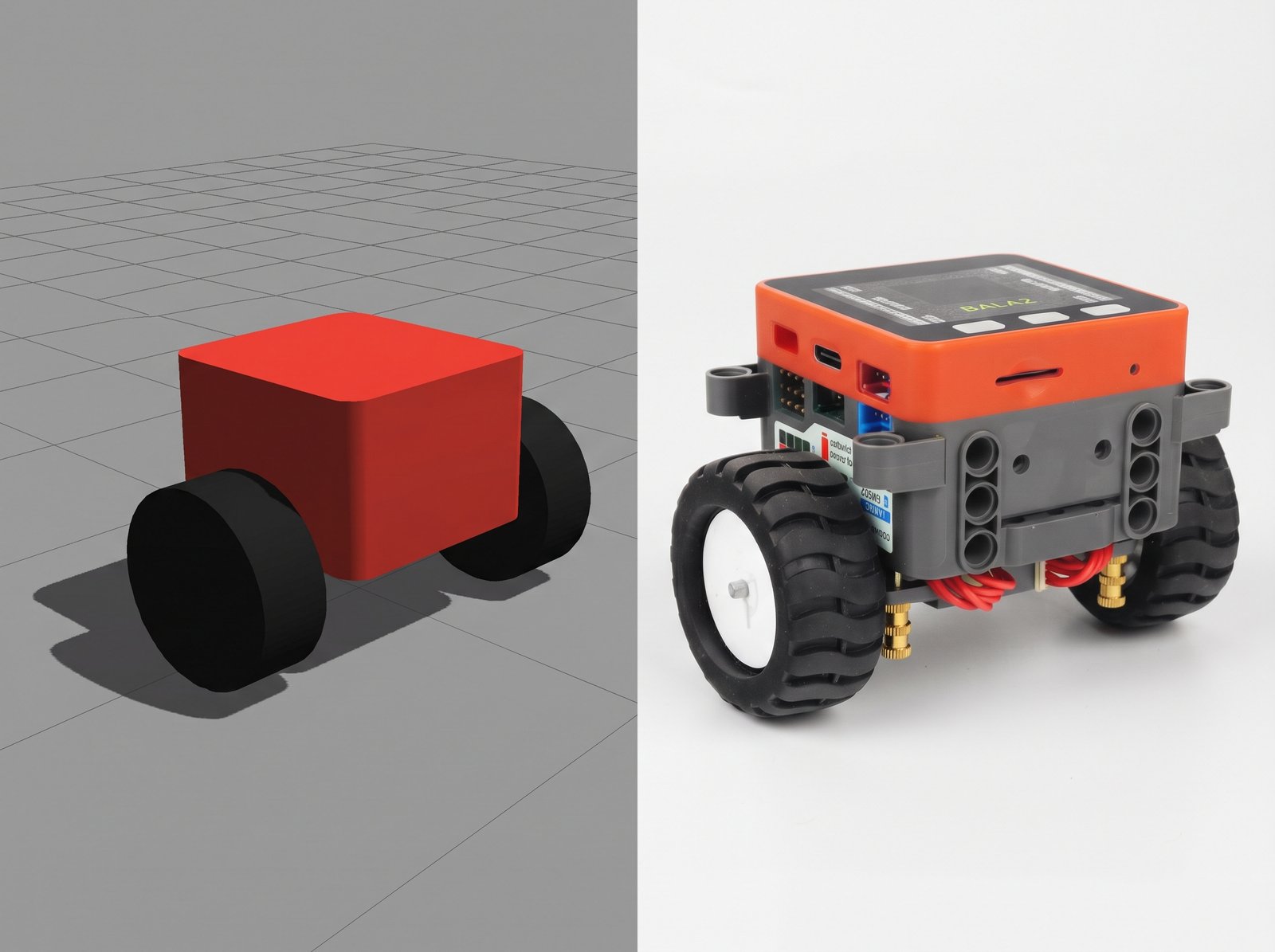
In this article, I will share an incredible resource I found that will help you learn physical AI by walking you through the entire process from importing a CAD model into a simulator to training and deploying an agent to a simple 2 motor, one sensor, ESP32-powered balance bot that only costs $80.
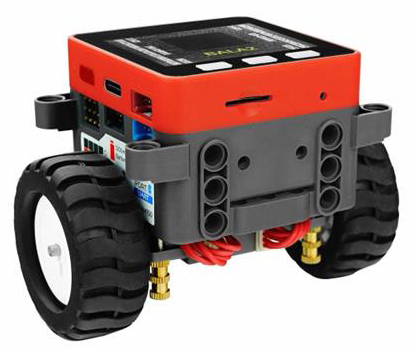
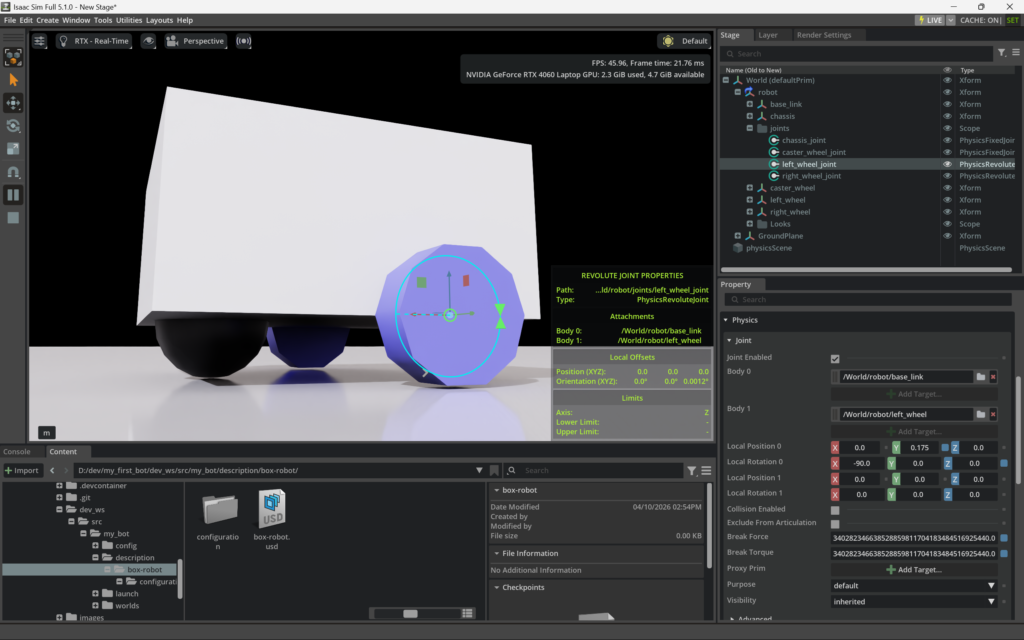
What I love most about this course is that they’ve designed it to train agents on a CPU. That reduces costs even further than my own NVIDIA Isaac Sim tutorials that require an RTX GPU. I intentionally bought my Lenovo Legion laptop to study NVIDIA tooling, which leaves out anyone who didn’t by a computer with that in mind. This detail was super exciting to me, so I had to share!!
While this course is great for getting started, I don’t want to hide the fact that more complex multi-sensor robots require a lot more compute power. I still have to be careful running only 8GB of VRAM on my RTX-4060. But, you can still learn a ton deploying agents that fit within the ESP32’s limited 520KB SRAM.
What is Physical AI?
Before I get into sharing details about the course itself, it feels important to clarify what physical AI is.
We’re all familiar with AI in 2026 as the chatbots we can interact with to produce text-based responses or to generate media such as images, music, and videos. If you’ve done much with them you’ve learned it’s all about ensuring you provide them with the appropriate context to generate usable responses.
While they’re smart out-of-the-box, the more data you connect them to the more useful they become within a given domain.
Physical AI is all about using sensors to read the real world, giving your agent the data it needs to decide what to do next.
These are not your typical massive multi-trillion parameter-based LLMs that you can chat with, which require insane amounts of compute power and data to train.
This course has you working closer to the fundamentals of machine learning where you train much smaller agents to perform very specific tasks. In this case, the first task is to stay upright. Once you’ve done that, you continue training the agent to understand how to stay upright as you apply velocity commands that enable you to drive it around without falling over.
The thing that makes me nerd out is that you’ll be creating a tiny neural network that the agent will use to make decisions in real-time.
This diagram breaks that decision network down to help you understand how simple this is for the balance bot used in this course.
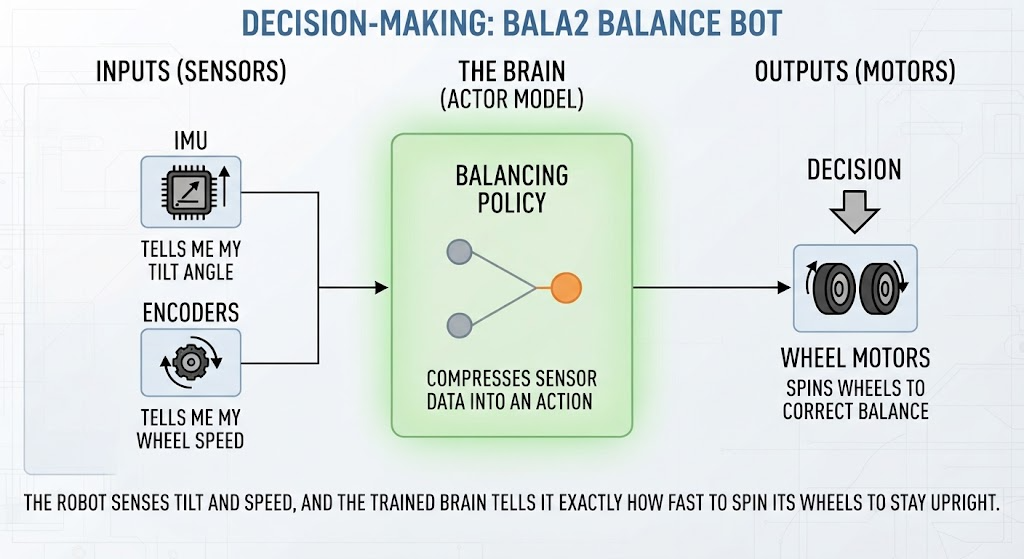
This simplicity is what makes this course so valuable for understanding physical AI.
You’ll quickly realize that simple is not always easy!
The good news is that they cover everything you need to think through to be successful. Just BYOD (bring your own determination) and you’ll do just fine. 😉
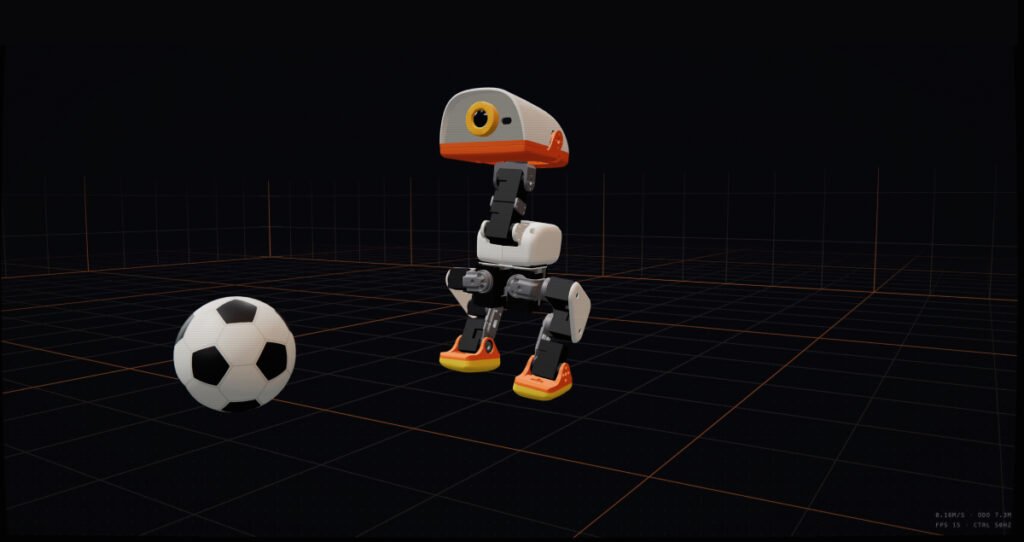
It’s important to wrap your head around how this scales to more complex robotics, which is exactly what I’m processing as I wait for my 15 motor, multi-sensor Microduck hardware to arrive in early 2027!
If you find this course to be overly monotonous or boring, then you’ve learned that robotics engineering may not be a direction you’re interested in pursuing.
I’m a major advocate for rapid exploration of potential career paths to help you understand if the day-to-day work is a good fit for you BEFORE dumping time and money into formal education.
I have proven you can build a successful career by teaching yourself technology. In fact, a key part of my day-to-day work is learning and implementing cutting-edge tech to solve complex business challenges. That’s hard to teach in a formal curriculum!
The Reinforcement Learning for Robotics Course Breakdown
I’ll provide a link to the full six-part video series below, but let’s do a quick overview so you’ll know what to expect.
I can’t help but call this out as a brilliant example of technical marketing engineering! You have DigiKey who is selling the balance bot that Shawn Hymel uses in this course which will give you hands-on experience. They have created a scenario where everybody wins!
Part 1: Import a Robot CAD Model into MuJoCo
Part one provides a solid introduction to the whole course and lets you see the end result right away.
Shawn covers some prerequisites to help get you started. What jumped out at me was that he doesn’t get into setting up your computer to run any of this, so reach out to me on the Tech-Multiverse community if you’d like me to fill some of those gaps for you.
Next, Shawn gets into the project code where he gives you a robot model you can load into Free CAD and then export for the MuJoCo simulator. As part of this, he gets into the importance of understanding sensor locations and center of mass to help optimize your model for training.
Finally, you’ll spin up Docker and run MuJoCo in Jupyter Lab! I love that he’s using Jupyter Lab for this, since that’s my favorite way to share courses I make for business teams that I work with when they want to learn Python.
Part 2: Train a Balance Bot with PPO
The second part of the course goes much deeper into the reinforcement learning (RL) algorithm, Proximal Policy Optimization (PPO). Shawn provides links for additional learning resources in the video’s description, if you really want to dig your heels into the math.
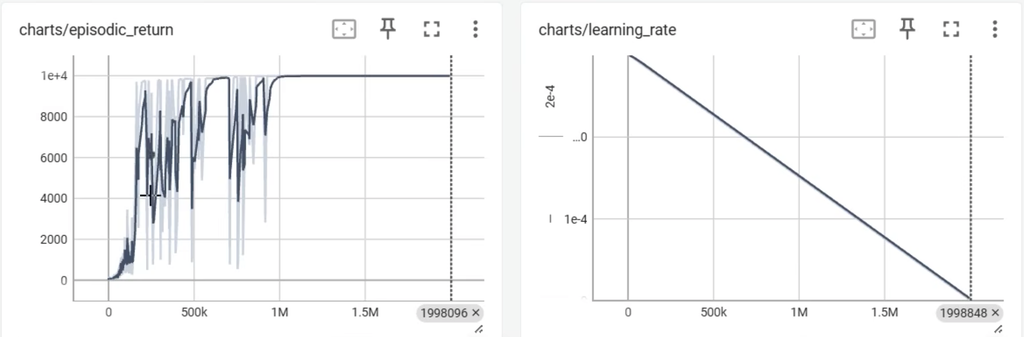
You’ll also kick off your first training and review the results of the data as TensorBoard plots, which Shawn will help you understand. This is visual telemetry of continuous calculus at work, but don’t let that scare you away! Machine learning taught me calculus and trigonometry when school only created fear.
Part 3: Deploy AI Agent to Real Robot (Sim-to-Real)
Part three is where things get real with sim-to-real as you load the agent policy you generated in part two onto your hardware.
Spoiler alert! This is where you’ll learn how challenging the sim-to-real gap is by watching your robot fail to perform like it did in simulation. However, this is where you’ll gain valuable hands-on experience.
Shawn provides some useful post-processing fixes along with different strategies for navigating these challenges, which includes the core topic covered in part four.
If you enjoy experimenting with these different strategies and find your own ways of improving results, then you may have the chops to become a robotics research engineer!
Part 4: Domain Randomization
Here’s where Shawn walks you through understanding domain randomization and how to train your robot over multiple phases to ensure your agent slowly learns how to manage additional complexity.
You’ll find that your bot performs much better after all that work, so you’ll be ready to move on to adding more features in part five.
Part 5: Adding Commands to the Agent
You’ll be updating your algorithm to handle velocity commands that will eventually come from a web-based controller that you’ll set up in part six.
To do this, you’ll need to add to the domain randomization to ensure your robot understands how to stay upright while navigating around and how to behave when no commands are being sent.
Part 6: AI-Powered RC Balance Bot
I totally geeked out on this final video where you use the Arduino IDE to split up your ESP32 cores to handle both a web-based controller and neural network inference.
You’ll get to setup a web server that hosts simple HTML thumb controller with a WebSocket that streams velocity commands from your phone so you can drive your bot around.
The course wraps up as you watch Shawn drive the bot through a little obstacle course he created.
Shawn also provides some additional resources at the end of the video if you’re having fun and want to dig in even further.
Conclusion with Course Links
I felt compelled to share this amazing resource for learning physical AI, especially considering how it’s a fundamental aspect of modern robotics. I personally find it fascinating, but I also hope it inspires newcomers to get started.
This course is a great way to gain hands-on experience without breaking the bank and should give you a sense of whether or not you’d be interested in pursuing a career in robotics, or just keeping it as a hobby like I do.
I could see myself going to town by building my own CAD model from scratch in OnShape, exporting that as USD into Isaac Sim and training my own policies that somehow use additional sensors to interact with Microduck. Who knows, I may have robots trained to dance to live music in my living room by this time next year.
You can get started with the The Reinforcement Learning for Robotics series below! Have fun!! 🤓 🤖